J-Novel Club
    • Categories
    • Recent
    • Tags
    • Users
    • Login

    In another world with my smartphone volume 14 Pictures

    Scheduled Pinned Locked Moved Suggestions & Feedback
    36 Posts 6 Posters 6.6k Views
    Loading More Posts
    • Oldest to Newest
    • Newest to Oldest
    • Most Votes
    Reply
    • Reply as topic
    Log in to reply
    This topic has been deleted. Only users with topic management privileges can see it.
    • M
      MattTheOtaku @myskaros
      last edited by MattTheOtaku

      @myskaros Like buy another copy of the book? If not, can you tell me how?

      smashman42S 1 Reply Last reply Reply Quote 0
      • smashman42S
        smashman42 Premium Member @MattTheOtaku
        last edited by smashman42

        @matttheotaku

        You don't need to buy it again regardless of where you bought it, the update process varies from seller to seller though.

        The premium ePub you just go to your library on the main page of this site and download the ePub again.

        Dunno what the process is with Amazon exactly, I think it is in the place where you manipulate your devices, books, and documents through the user profile on the main desktop Amazon website, but not sure exactly where or how.
        (I've got way more "document" books (J-Novel premium ePubs converted to Mobi) than "book" books (straight from Amazon, YenOn), so I have to mess with the former much more often than the latter)

        M 1 Reply Last reply Reply Quote 0
        • M
          MattTheOtaku @smashman42
          last edited by MattTheOtaku

          @smashman42 OK... I have the automatic updates on amazon set, but it shows no changes whatsoever... What now? I'd rather use the amazon version

          1 Reply Last reply Reply Quote 0
          • M
            MattTheOtaku @myskaros
            last edited by

            @myskaros I'd say investigate. I've removed and redownloaded my amazon books (already have the auto-update on), and the books aren't updating

            SoullessMinionS myskarosM 2 Replies Last reply Reply Quote 0
            • SoullessMinionS
              SoullessMinion Premium Member @MattTheOtaku
              last edited by

              @matttheotaku for amazon i believe its something like
              Account > Settings > Device/Device Settings > Kindle books
              Or something like that, it should be a list of all your purchased books and scrolling down would tell you if theres an update for specific books. Automatic updates doesn't seem to actually update sometimes

              M 1 Reply Last reply Reply Quote 0
              • myskarosM
                myskaros Staff @MattTheOtaku
                last edited by

                @matttheotaku Oops, I think I see the problem now. I will see what we can do.

                Whoever said nothing's impossible never tried slamming a revolving door.

                M 2 Replies Last reply Reply Quote 0
                • M
                  MattTheOtaku @SoullessMinion
                  last edited by

                  @motionless47 I don't see any updates... But thanks!

                  1 Reply Last reply Reply Quote 0
                  • M
                    MattTheOtaku @myskaros
                    last edited by MattTheOtaku

                    @myskaros Thanks so much! I hope you succeed. Keep me posted!

                    1 Reply Last reply Reply Quote 0
                    • M
                      MattTheOtaku @myskaros
                      last edited by

                      @myskaros Have you made any progress so far?

                      myskarosM 1 Reply Last reply Reply Quote 0
                      • myskarosM
                        myskaros Staff @MattTheOtaku
                        last edited by myskaros

                        @matttheotaku We have uploaded an updated version of the EPUB, it should now have the fixed insert image.

                        Whoever said nothing's impossible never tried slamming a revolving door.

                        M 1 Reply Last reply Reply Quote 1
                        • M
                          MattTheOtaku @myskaros
                          last edited by

                          @myskaros I know this is a little late, but Amazon did not seem to have accepted the change (I.e. there's no update)

                          myskarosM 1 Reply Last reply Reply Quote 0
                          • myskarosM
                            myskaros Staff @MattTheOtaku
                            last edited by

                            @matttheotaku Thanks for letting us know! I will work on getting it uploaded on Amazon again.

                            Whoever said nothing's impossible never tried slamming a revolving door.

                            M 2 Replies Last reply Reply Quote 0
                            • M
                              MattTheOtaku @myskaros
                              last edited by

                              @myskaros No Problem! Glad I could help

                              1 Reply Last reply Reply Quote 0
                              • M
                                MattTheOtaku @myskaros
                                last edited by MattTheOtaku

                                @myskaros Have you made any progress? Amazon's not showing any updates yet

                                myskarosM SerahS 2 Replies Last reply Reply Quote 0
                                • myskarosM
                                  myskaros Staff @MattTheOtaku
                                  last edited by

                                  @matttheotaku I don't know what to tell you. When I preview the file that is currently uploaded, I see the updated images.

                                  Whoever said nothing's impossible never tried slamming a revolving door.

                                  M 1 Reply Last reply Reply Quote 0
                                  • SerahS
                                    Serah Premium Member @MattTheOtaku
                                    last edited by

                                    @matttheotaku I downloaded my copy from amazon on the 12th. It looks just fine with the correct descriptions for each image. If you redownload the book, what version does it say - assuming the updated version has a different number.

                                    I am referring to 1.0 May 2019

                                    Sorry for my bad English - it is not my native language
                                    Give Pens Down, Swords Up: Throw Your Studies to the Wind a try. It is that good! ♡(>ᴗ•)
                                    I like it as much as Realist Hero ♡

                                    M myskarosM 2 Replies Last reply Reply Quote 0
                                    • M
                                      MattTheOtaku @myskaros
                                      last edited by MattTheOtaku

                                      @myskaros On Amazon? I have the readers open right now, and there are no updates avaliable... Can you check on the kindle cloud reader?

                                      1 Reply Last reply Reply Quote 0
                                      • M
                                        MattTheOtaku @Serah
                                        last edited by

                                        @serah I redownloaded the book, I don't know how to check the version, but the images are still wrong...

                                        myskarosM 1 Reply Last reply Reply Quote 0
                                        • myskarosM
                                          myskaros Staff @MattTheOtaku
                                          last edited by

                                          @matttheotaku Can you please be more specific when you say "the images are wrong"? For example, "it says X but it should instead be Y". Like, you've been frustratingly vague this entire thread and I've looked at the images, the translations, and how they can be fixed dozens of times and really don't know what you want.

                                          Whoever said nothing's impossible never tried slamming a revolving door.

                                          M 1 Reply Last reply Reply Quote 0
                                          • M
                                            MattTheOtaku @myskaros
                                            last edited by MattTheOtaku

                                            @myskaros Sure! sorry for being so vague...
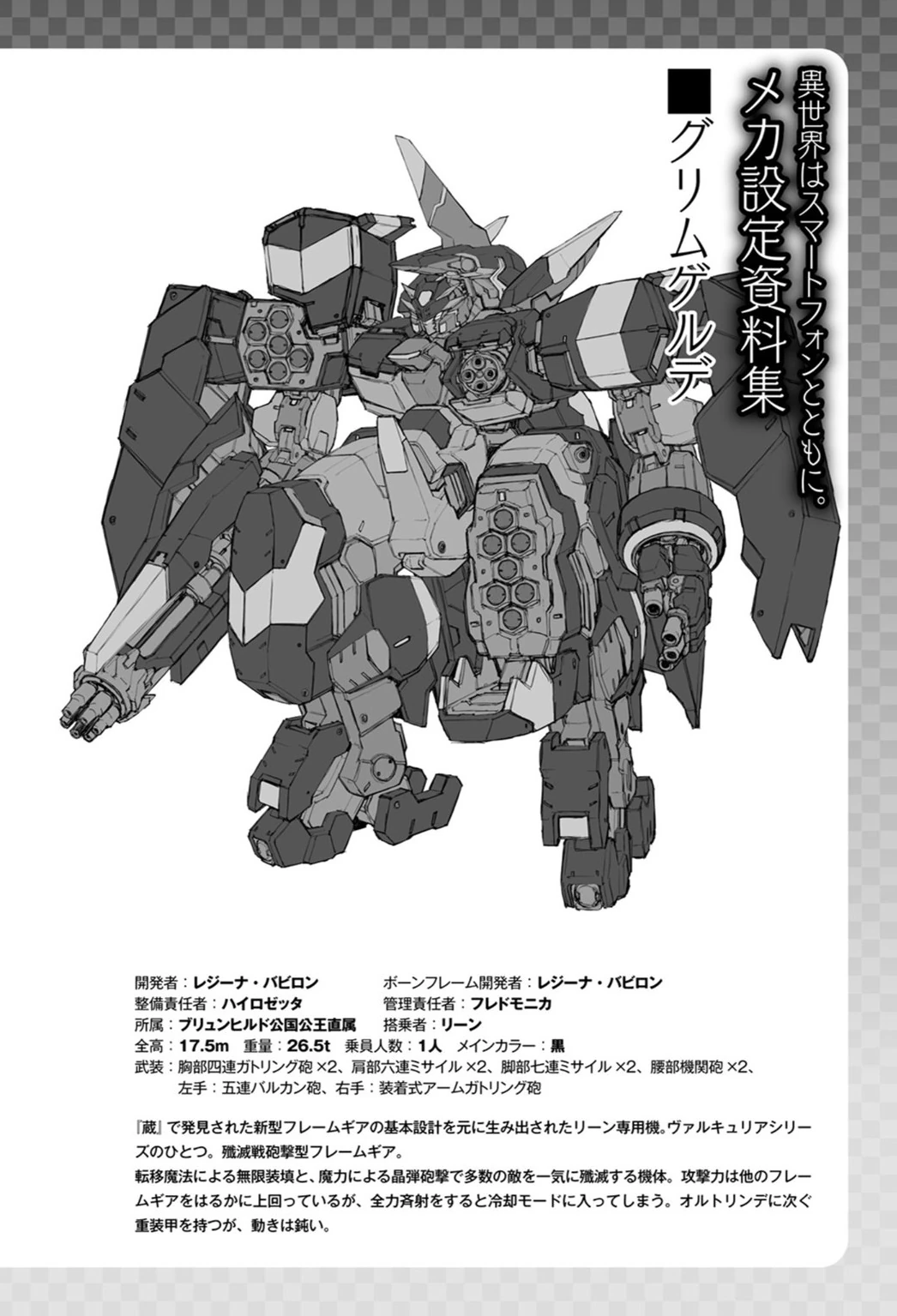
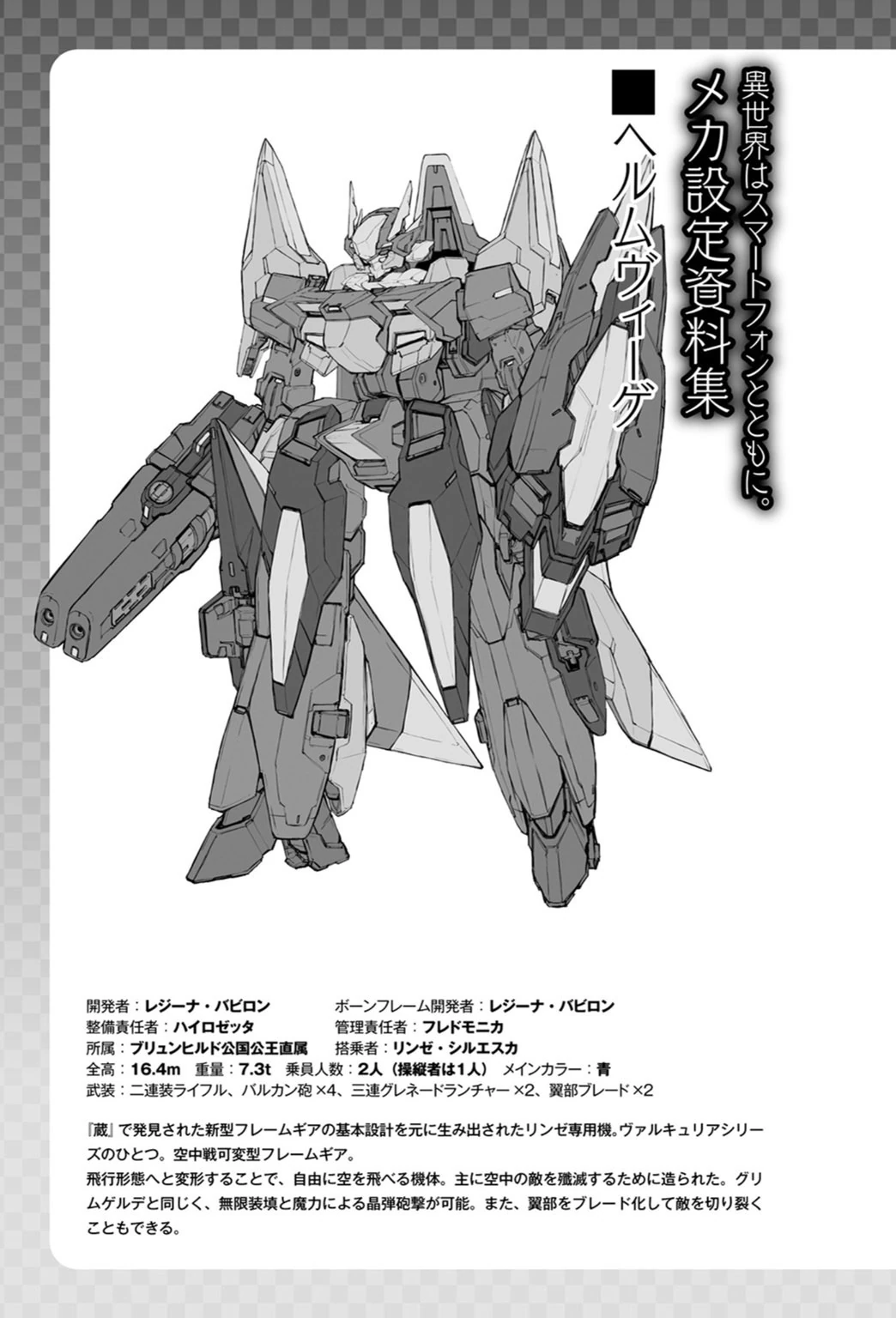
                                            In the last few pictures of the volume, there are two mecha diagrams. The diagrams text that should be on one diagram are on the other. Basically, the Large mecha with the gatling gun on its shoulder is called Grimgerde, but you will see that all text on that diagram refers to the mecha (Helmwige) that should be in the other diagram. The opposite is true as well. What I am asking for is that the images of the mecha themselves (Without the text) be swapped.
                                            The pictures below are those present in the Japanese versions, with the correct mecha in the correct places.
                                            Helmwige
                                            Grimgerde
                                            I cannot currently send you the images in the current English versions, but they should be the on the last pages before the newsletter sign up link. You will notice that the illustrations for one should be where the other is.

                                            Sorry for being so vague until now!
                                            myskarosM 1 Reply Last reply Reply Quote 0
                                            • 1
                                            • 2
                                            • 1 / 2
                                            • First post
                                              Last post