J-Novel Club
    • Categories
    • Recent
    • Tags
    • Users
    • Login

    New Website Feedback

    Scheduled Pinned Locked Moved Suggestions & Feedback
    724 Posts 192 Posters 850.3k Views
    Loading More Posts
    • Oldest to Newest
    • Newest to Oldest
    • Most Votes
    Reply
    • Reply as topic
    Log in to reply
    This topic has been deleted. Only users with topic management privileges can see it.
    • RaitoiroR
      Raitoiro Premium Member
      last edited by

      I don't know if that bug was already reported but after buying a book on the new site the "BACK" button stop working and display the pop-up window normally displayed when clicking "BUY" instead of going back to the title list.

      Do you like death, war and misery ?
      Do you like badass op loli who let nobody got in their way ?
      Do you like vengeance story?
      If so then then vote for The girl who ate a death god

      1 Reply Last reply Reply Quote 0
      • TimmaaahT
        Timmaaah
        last edited by

        I would be good to have the ISBN for the physical release on the website so that it is easier to search for them on store fronts.
        I find it much easier to search by ISBN than gamble on if you have the manga or LN as it's hard to tell sometimes. This is how I usually do it with SS and YP books.

        1 Reply Last reply Reply Quote 4
        • cimmadifC
          cimmadif Premium Member
          last edited by

          Noticed I could change the font size on the new reader today.
          Thank you, I can finally use the new site now.

          hirotoH 1 Reply Last reply Reply Quote 1
          • hirotoH
            hiroto @cimmadif
            last edited by

            @cimmadif said in New Website Feedback:

            Noticed I could change the font size on the new reader today.
            Thank you, I can finally use the new site now.

            I checked and also italic texts are now shown properly.

            1 Reply Last reply Reply Quote 1
            • LegitPancakeL
              LegitPancake Premium Member
              last edited by LegitPancake

              Oh my gosh the new reader is 10x better than it used to be. Very impressed. Now would be kinda cool if going full screen actually was full screen.

              BartzBBB 1 Reply Last reply Reply Quote 0
              • BartzBBB
                BartzBB Premium Member @LegitPancake
                last edited by

                @LegitPancake
                What do you mean? When I click Full Screen the whole screen is used compared to what is here in the old reader.

                JNC LN Ranking:
                1st - Rokujouma
                2nd - Realist Hero
                3rd - Bookworm

                LegitPancakeL 1 Reply Last reply Reply Quote 0
                • LegitPancakeL
                  LegitPancake Premium Member @BartzBB
                  last edited by

                  @BartzBB I mean full screen as in the whole screen, like pulling up a youtube video. No taskbar, no browser bar at the top.

                  BartzBBB 1 Reply Last reply Reply Quote 0
                  • BartzBBB
                    BartzBB Premium Member @LegitPancake
                    last edited by

                    @LegitPancake
                    So that's what you mean. When reading in JNC I manually full screen my browser so I didn't notice that.

                    JNC LN Ranking:
                    1st - Rokujouma
                    2nd - Realist Hero
                    3rd - Bookworm

                    1 Reply Last reply Reply Quote 0
                    • T
                      thefirstpunicwar Premium Member
                      last edited by

                      I have a request for the titles section of the new beta site.

                      Within the titles section on the left hand side you have publication status. Two options under publication status are "Completed" and "Completed & On Hiatus." I would like to put forth that the "Completed & On Hiatus" be changed to just "On Hiatus." As there is already a show only completed series option this will only show On Hiatus works so you don't need to try to sort between the completed and on hiatus titles.

                      1 Reply Last reply Reply Quote 2
                      • T
                        Teian
                        last edited by

                        WoW thanks for the Work! I really like the new page. Useabillity is so much better than before!

                        1 Reply Last reply Reply Quote 0
                        • saffireS
                          saffire Premium Member
                          last edited by

                          It looks good! Props to everyone involved for their efforts.

                          1 Reply Last reply Reply Quote 0
                          • E
                            erys Premium Member
                            last edited by

                            The reader is definitely a lot easier to use than it was last time the new website designed was released, though I am running into some of the issues mentioned in the first post (too big margins, settings not saving). One other issue I’m having is that I pretty much exclusively access the site on mobile, and scrolling doesn’t hide the browser navigation bars and tapping the top doesn’t automatically scroll to the top of the page the way it does on most websites (I’m using safari on iOS). Thanks for the hard work!

                            chocolatkeyC 1 Reply Last reply Reply Quote 1
                            • chocolatkeyC
                              chocolatkey Staff @erys
                              last edited by chocolatkey

                              @erys Are the settings (such as background) still not saving for you? An update was made a few minutes ago that should fix that

                              E 1 Reply Last reply Reply Quote 0
                              • mlindnerM
                                mlindner Premium Member
                                last edited by mlindner

                                The new reader is still horrible and NONE of the problems I mentioned appear to have been fixed. Why was the site switched over?

                                Re linking for reference: https://forums.j-novel.club/topic/3427/new-website-feedback/267?_=1615588112826

                                chocolatkeyC 1 Reply Last reply Reply Quote 1
                                • E
                                  erys Premium Member @chocolatkey
                                  last edited by

                                  @chocolatkey Yes, it seems to be saving the settings now!

                                  1 Reply Last reply Reply Quote 0
                                  • TerabyteT
                                    Terabyte
                                    last edited by Terabyte

                                    Yeah, I still prefer the old reader. The new one is simply too wide and I found myself losing the line I was on often when I tested it before. Switching between single and double page doesn't seem to work either, unless you refresh the page after changing the setting. Additionally, the calendar page still doesn't let you got to a series's page rather than dumping you directly into the reader no matter where you click.

                                    EDIT: Also, there's still no way to see the upcoming LN parts/manga chapters on the homepage. You always have to open the calendar for that. Overall, as I've already mentioned before, the new homepage is completely useless compared to the old one in regard to info provided to the user. The new one is full of huge images and wasted space all over.

                                    1 Reply Last reply Reply Quote 2
                                    • chocolatkeyC
                                      chocolatkey Staff @mlindner
                                      last edited by

                                      @mlindner

                                      The font size is too small.

                                      Press the gear icon in the top right of the interface, that will bring up a menu where you can increase the font size

                                      The lines are all squashed together.

                                      Press the gear icon in the top right of the interface, that will bring up a menu where you can increase the line spacing

                                      It's not formatted like a printed page.

                                      Browsers cannot lay out text columns as nicely as programs such as InDesign, however if you can elaborate, we can try to improve this

                                      And even all the text formatting is broken. For example italic text is no longer italicized.

                                      This should be fixed

                                      mlindnerM 1 Reply Last reply Reply Quote 0
                                      • mlindnerM
                                        mlindner Premium Member @chocolatkey
                                        last edited by

                                        @chocolatkey said in New Website Feedback:

                                        @mlindner

                                        The font size is too small.

                                        Press the gear icon in the top right of the interface, that will bring up a menu where you can increase the font size

                                        It should have defaults that match what a printed page would look like. 110% looks natural.

                                        The lines are all squashed together.

                                        Press the gear icon in the top right of the interface, that will bring up a menu where you can increase the line spacing

                                        It should have defaults that match what a printed page would look like.

                                        It's not formatted like a printed page.

                                        Browsers cannot lay out text columns as nicely as programs such as InDesign, however if you can elaborate, we can try to improve this

                                        The old reader managed things perfectly fine?

                                        And even all the text formatting is broken. For example italic text is no longer italicized.

                                        This should be fixed

                                        I didn't look to check this one, but I'll do so now.

                                        chocolatkeyC 1 Reply Last reply Reply Quote 0
                                        • E
                                          erys Premium Member
                                          last edited by

                                          I have a question about the new reader. Are all the fonts from the old reader available in it? None of them seem to match the serif font I used to use.

                                          chocolatkeyC 1 Reply Last reply Reply Quote 0
                                          • kpossiblesK
                                            kpossibles
                                            last edited by

                                            alt text

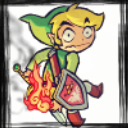
                                            The automatic smart preview on mobile for Twitter is a cropped part of the logo. Can you fix the automatic image crop for forum links with like the square JNC logo?

                                            chocolatkeyC 1 Reply Last reply Reply Quote 0
                                            • 1
                                            • 2
                                            • 16
                                            • 17
                                            • 18
                                            • 19
                                            • 20
                                            • 36
                                            • 37
                                            • 18 / 37
                                            • First post
                                              Last post