(New) App Feedback
-
@jdmmis
My Friend's Little Sister Has It In for Me! Volume 3 Part 4 had an issue with font.I'm on iPhone 11 Pro with latest iOS version and app version.


-
@jdmmis I think this was a case of the part being formatted incorrectly. I just made a change, can you try again?
-
@myskaros Yes it looks like what I would expect it to be now. Thank you
-
I've been binge reading a lot on the app this week, un unhealthy amount of time even, and every two-three volumes worth of parts the app gets stuck in a "loading part..." mood when I'm trying to go to the next. Closing the part to go back to the volume (which brings the volume from where I started the binging session rather than the current volume, but I believe this is a known behavior) will only show the volume's header with no parts, and the same goes for the releases tab, with nothing showing up. I had thought it was an internet issue on my end the first time, or maybe the site having a temporary downtime, but with it happening every time I've since realized it's simply fixed if I close and reopen the app.
To put a perspective on the amount of parts it does this after, I had started the latest binge on bookworm part 2 vol 3 part 6 (or 8?) and it got stuck in "loading part..." when trying to load part 3 vol 1 part 2. -
I got a new tablet (Lenovo Tab M8 FHD), and the app seem to think it's a lot smaller than it actually is. I only get 2 series/volume thumbnails per row now, and they're huge. On my old tablet, with roughly the same display size, there were 3.
-
@chocolatkey I'm fine with the white text slightly dimmed, but as an amoled phone user, I hope the option for pure black background will remain.
-
Thank you so very much for this new up.
I had downloaded your old app, and disliked it.Then I decided to check out your new one due to Bookworm and decided to join JNC.
It's supper nifty and with intelligent design.
My only concern with it is that it's a bit hard on the eyes to read even with black background/white text.I use CoolReader on my mobile phone and I find their background to much easier on the eyes. Here is a random google search image of what it looks like:
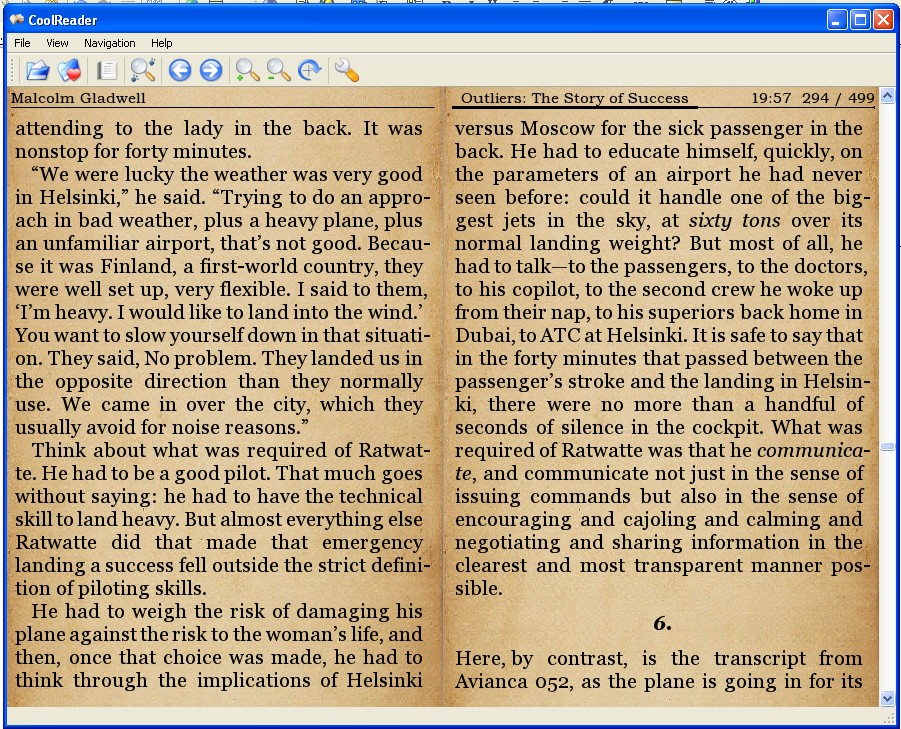
Please keep up the good work.
-
Reporting what I believe is a bugged behavior.
When opening a chapter, the content is shifted down to make space for the header with the series title and part number, and when pressing in the middle the header gets hidden and the content shifted back up.
However if pressing again to show the header, the content doesn't get shifted, and when pressing again to hide the header the content is shifted down instead. Pressing again to show the header will shift the content up instead, and hiding the header will continue to shift down, so after no shifting happens that once the behavior is inverted until the chapter is closed.
Hitting next part after the bug has been triggered makes it so that the first time the header is hidden in the next part no shifting occurs, and then the behavior is inverted like stated above.Edit: this might be what was reported in early May, upon checking earlier posts, BTW...
-
Are there plans to allow searching for text within a pre-pub on the app? I know copy-pasting isn’t allowed and that’s fine, I just mean ctrl-f’ing to find the quote you’re looking for. Rn when I’m on mobile and I want to find a quote, I have to go through the mobile website and fiddle with that reader to ctrl-f through text, and it’s both inconvenient and annoying. I’d much prefer being able to search within the app pre-pubs.
-
In the current version of the Android app, when I initially run the app, I often get prompted if I want to continue where I left off. The last place I left off was after finishing a manga chapter and for some reason it doesn't realize I finished it and puts me somewhere in the middle of it.
Also it would be nice if the coloring in the chapter lists would distinguish between "I opened this before" (which is the only thing it shows now) and "I finished this."
-
I’m using the latest iOS Beta app, but it might be a common issue on the web interface as well.
In any case, recently there’s been a slew of LN + Manga title releases, but it is not easy to determine which is which, since the keyword for the manga is usually at the end of the title. sometimes the end of the title is hidden due to the length (My Next Life as a Villainess is one example), it is quite confusing when scanning the new releases page.
I’d suggest adding flairs or tags to differentiate between the Manga and the LN chapter releases so that it is obvious without having to click on the chapter itself.
-
Using the Android app (the beta), and reading S-Rank Adventurer volume 1 part 6:

Based on what someone else posted on the Discord, it's supposed to look like this:

So it's probably some font issue.
-
@unsynchedcheese Yes, this isn't an app issue, the part itself uses non-standard unicode small caps characters which don't work in every font. We're working with the team to reformat the part.
-
App crashes when trying to use the "log in via code" function and cancelling out of the modal with the code.
App v0.7.0; iOS 14.7, iPhone XS Max; iPadOS 14.6 (whoops, time to update), iPad Pro something or other
-
I found a bug in the beta app in the prepub of grace of the gods 8 part 8 where after a certain point in horizontal scrolling it becomes a gray page but works fine in vertical scrolling, I’ll post screen shots in another reply (can’t figure out how to send them mobile)
iPhone 12 Pro Max, iOS 14.7
-
How do you use the app authentication. This is not self explanatory and has no details on how to use or setup.
-
@dragonvare If you are logged into your account on the website, go to this page:
From the app, tap the "Sign In with Code" button. (see below)
https://cdn.discordapp.com/attachments/804866983358365776/873400330363215872/image0.png
This will generate a 6-character code. Type that code into the webpage link above and it will log you into the app.
Whoever said nothing's impossible never tried slamming a revolving door.
-
@myskaros i see where you can use the code. But not how you set this up. Where do I go to make it so I can register to get a code that works with the website and the app.
-
@myskaros I'm assuming that only works on version 0.7.0? Google seems to be pushing version 0.6.1 still.
-
@dragonvare @jpwong Ohhh, I see. Yeah, Google has been rejecting our app updates because they think it's an aggregator app and we're violating copyrights. Let me see about getting a link to an APK posted so that Android users can get access to the latest version.