Report (old) App Bugs Here!
-
This isn't actually a bug, but I was wondering why the Android app needs the "Device ID & call information" permission in Lollipop? I don't really want to install an app that can track the numbers I'm dialing without knowing why, since it doesn't seem like this app would have any features requiring that functionality.
Thanks.
-
This is not realy a bug but more of a feature request for the Andoid App.
I used the "login with Google Account" option to create my J-Novel account via the Website. But when I try to login into the App, there is no such option. Only the Username / Password Member sign in.
So could you please add the Google Sign-In to the App?
-
@Helge-König Hey, thanks! That's a known lack of functionality for the app.
All you need to do though is login to the web, and go to "account" and you can set a password there. Once you've set a password you can log in on the app with your email and password. -
@Sam-Pinansky Thank you for your reply. Yeah I thought as much when I clicked through the menu. But if I would set a password, it would bypass this single sing on function that Google Sign In provides.
-
I have a problem with the app and website where neither of them work when only on LTE
-
@Ztshp Be more specific by "not work". Nothing requires wi-fi in our systems, LTE or slower connections shouldn't be much of an issue for either the web or app, aside from slower loading times.
-
I try to access both while not on wifi and none of the light novels will load and when I try access the forum it says server can't be found, I can only assume they are connected
-
@Ztshp That's very interesting, and I suspect that your cell phone service provider must be blocking access to our servers when you are on LTE for some reason.
What carrier are you using? -
@Sam-Pinansky AT&T
-
Hi, not sure where to ask this, but I'm curious if you guys have or are working on an update to the app?
-
@Pmf96 it's waiting for App Store approval right now in fact.
-
@Sam-Pinansky Hmmm... Both the android and ios version?
-
@Pmf96 android I'm waiting for it to show up in my closed beta for a final check before publishing it on the main release. But play store should follow iOS within 24 or less or might be first depending on how fast Apple approval is.
The android version gave me trouble though and was the biggest reason for how long this took. Had to fallback to an older method for the vehicle scroll option as android doesn't seem to have a native verticals scroll pagination view.
-
@Sam-Pinansky Thank you :3 Though, I have no knowledge about that, so not sure what to say :sweat_smile:
-
Hmm... Not sure if it's just me, but on my Android the app is not working properly.
Here is a picture:
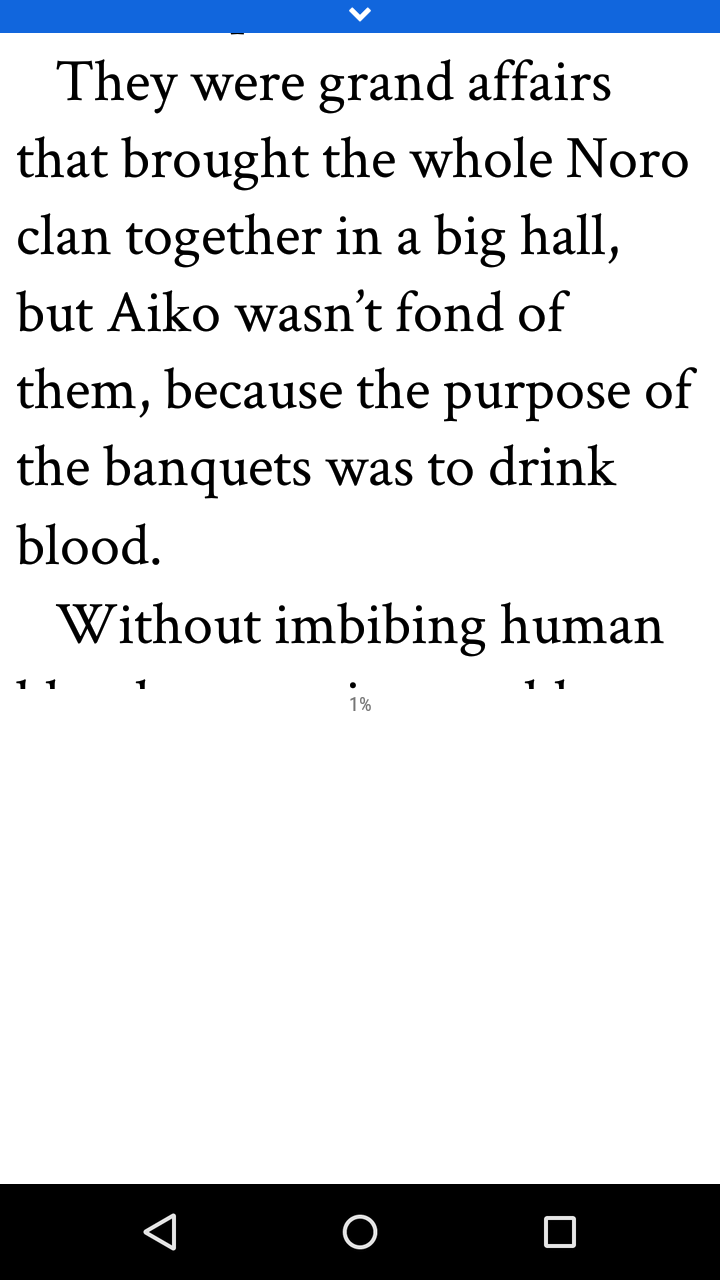
-
Well, I closed the app and opened it a few times and is working properly now... -,-'
-
Oneplus 3T using Android 7.0. Often when I get to the end of a section the progress indicator gets stuck around 97% rather than getting to 100%. I can read the end but this is not recorded.
-
@Shiny yeah, if you flip to horizontal mode it can get to 100%. The vertical one is off by a rounding error on android only and I wasn't able to figure it out before release. Known issue!
-
@Sam-Pinansky said in Report App Bugs Here!:
@Shiny yeah, if you flip to horizontal mode it can get to 100%. The vertical one is off by a rounding error on android only and I wasn't able to figure it out before release. Known issue!
Thanks for the workaround :)
-
It seems that whilst the Android app is running it does not update the 'latest' tab, not even when you go to 'series' and go back. I have to actually force-close the app and re-open it to get updates. It should reload when you switch back and reload when you scroll up beyond the top in the 'latest' tab.