New Website Feedback
-
@chocolatkey whatever it was, is fixed now..
That's how it looked:
https://drive.google.com/file/d/1KiJKc0OjMLoaoliiak8CsqLIfafAjPYp/view?usp=drivesdk -
@Marius8 It still looks like this for me. Some release links are placed in the divs with id which seem to be supposed to contain the date, and date go into divs with seem supposed to be release links containers instead.
-
On my Samsung tablet i have to turn it sideways to view the calender so the screen fits. Otherwise all the text and options overlap.
Also when i logg in, it results it my keyboard opening up as it wants me to type text
-
@piisfun I am also seeing something similar while using Opera as my browser. Only a few days seem to be affected though. It does somewhat fix itself - if I click on something and then go back to it, the calendar bug disappears (i.e. only when I open it fresh does the bug show).
-
Downloading a book directly from the purchase modal doesn't seem to set whatever flag the "New Books" section on the user library page looks at; it's claiming two books are new that I've already downloaded.
-
On a Series' page, the "Discuss on Forums" link only takes you to the volume 1 topic. I'd prefer there to be a link next to each volume's page leading to the corresponding forum topic, but if that's not possible, at least it'd be better if the main link led to the series landing page on the forum e.g. https://forums.j-novel.club/tags/orphen
-
@Spacebssn So it's acting the exact same way for you? Interesting.
I expect that one to be a hard-to-kill issue.
-
I liked new version the first time. Whatever you did to it inbetween I hate it now.
Edit: Especially the reader. will get used to it I suppose though.Edit 2: And reader is already half broken on my computer so I have to change settings literally every time I open a page.
-
It might be better if clicking the name of a release brings you to the series page, since we already have the green part buttons to bring us to the reader. Right now, unless I'm missing something, I have to go to the series section, then search for the series, then click into it if I want to get there and read a volume summary or preorder a volume.
-
Might I suggest that JNC put MOBI (or other kindle supported format) premiums in the "my library" section in addition to EPUB? I cannot fathom why anyone would pay the same (or more) to purchase a JNC title from amazon vs. using premium credits. The multiple times commenters mention using Calibre to convert formats (and the objections to not doing so, i.e. not owning a PC) make it clear to me that there is 'demand' for having content in a 'direct to kindle-friendly' format.
-
Getting an odd bug in the reader - when I use arrow keys or click to turn the pages, it always skips the last page of the chapter and moves onto the next one. Dragging the slider to the end will make it display the last page, though.
-
@HamsterExAstris Right now, the "new books" is simply based on publication date. In the future, we will store last download status for people as well, to also provide notifications regarding when an update to the EPUB comes out.
@KingKillerX Could you please elaborate on what you liked during the first launch? We haven't made any changes that I think would make it hate-able.
@Jon-Mitchell We will add MOBI support at a later date when the backend is worked on.
@Silverleaf That is a know issue that will be addressed.
-
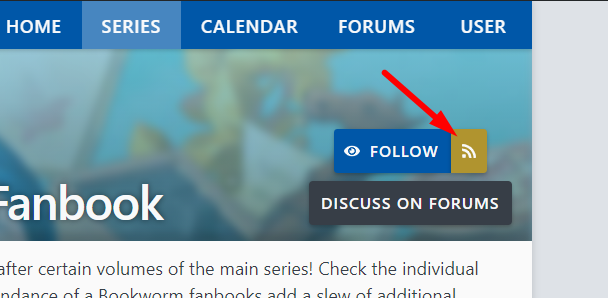
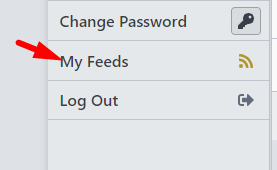
How do we find the "series id" or "user id" that the RSS feeds rely on? The example provided for bookworm makes it pretty clear that there's no way to figure it out based on usernames or titles.
EDIT: Found the buttons on the user profile and series pages. Not sure how I missed those when I first asked
EDIT2: Yay, they're new. I guess I wasn't blind. -
Can you you put an option to display the book covers in the users library. I liked being able to look at the covers of all the books I've bought and a drop down list with titles only isn't as satisfying.
Also the first volume of My Big Sister Lives in a Fantasy World was mistakenly labeled as
Volume 2: The World's Strongest Little Brother in my user library. -
@Vorthod I just added these links that should make it easy for you and others to find the feeds
Series:
User:
Edit: Also, I apologize to current feed users, the update to the new site's URLs in the feed entries may cause previously read entries to be marked as unread again
-
@chocolatkey I literally just saw those and thought I had somehow been blind this whole time. Thanks =)
-
For Kokoro Connect in my library, Asu Random should be volumes 9 & 10, and those are curiously the only volumes to say "volume" albeit with wrong info.
Also Faraway Paladin Torch Port Ensemble is technically volume 5 (4 narratively).

Finally, I'd like to suggest having a dropdown box on the series tab to choose how many items to display. Currently it's locked to 10, but it'd be nice to be able to change it to maybe 20, 50, 100, etc.
-
The new reader is good, and I like the narrow page option.
But the absence of the Crimson Text font makes me still use old site. -
@Choubugioxkei said in New Website Feedback:
The new website won't load at all on my phone on Chrome. AdBlock browser works, but I rarely use that.
Android 8.1, Blackberry KeyOne. Chrome's up-to-date.
This issue persists. To be more specific, it sits on the loading screen with the circle, forever.
-
About the reader:
The page width seems to be slightly too wide in one page mode and slightly too narrow in two page mode. I would widen the two page mode page width so that the ratio of the page would more closely match printed book's pages and then narrowing the one page mode page width to match one page width in two page mode. Even better would be to allow each user to decide it themselves and make it adjustable.
I agree with other people that the default font size is slightly too small. It's good that we can adjust it as we want to, so this is not a huge problem, but shouldn't the defaults be something that most people would not have to touch at all?
Why did you remove the future books from series page? They were really nice to have and quickly see the Japanese release dates of future books. Just don't give us the full names of future volumes since they might spoil stuff and also make the cover pages remain blurred even on mouse hover. I really liked having the Japanese release dates listed there, so this seems like you are taking away something nice we had to solve a small problem instead of making small tweaks to it to make it golden.